Alex Lisko
FreshKeeper
A fridge and pantry tracker that warns you before food expires, suggests what to cook, and builds your grocery list for you.
From a sketch to an app on my phone
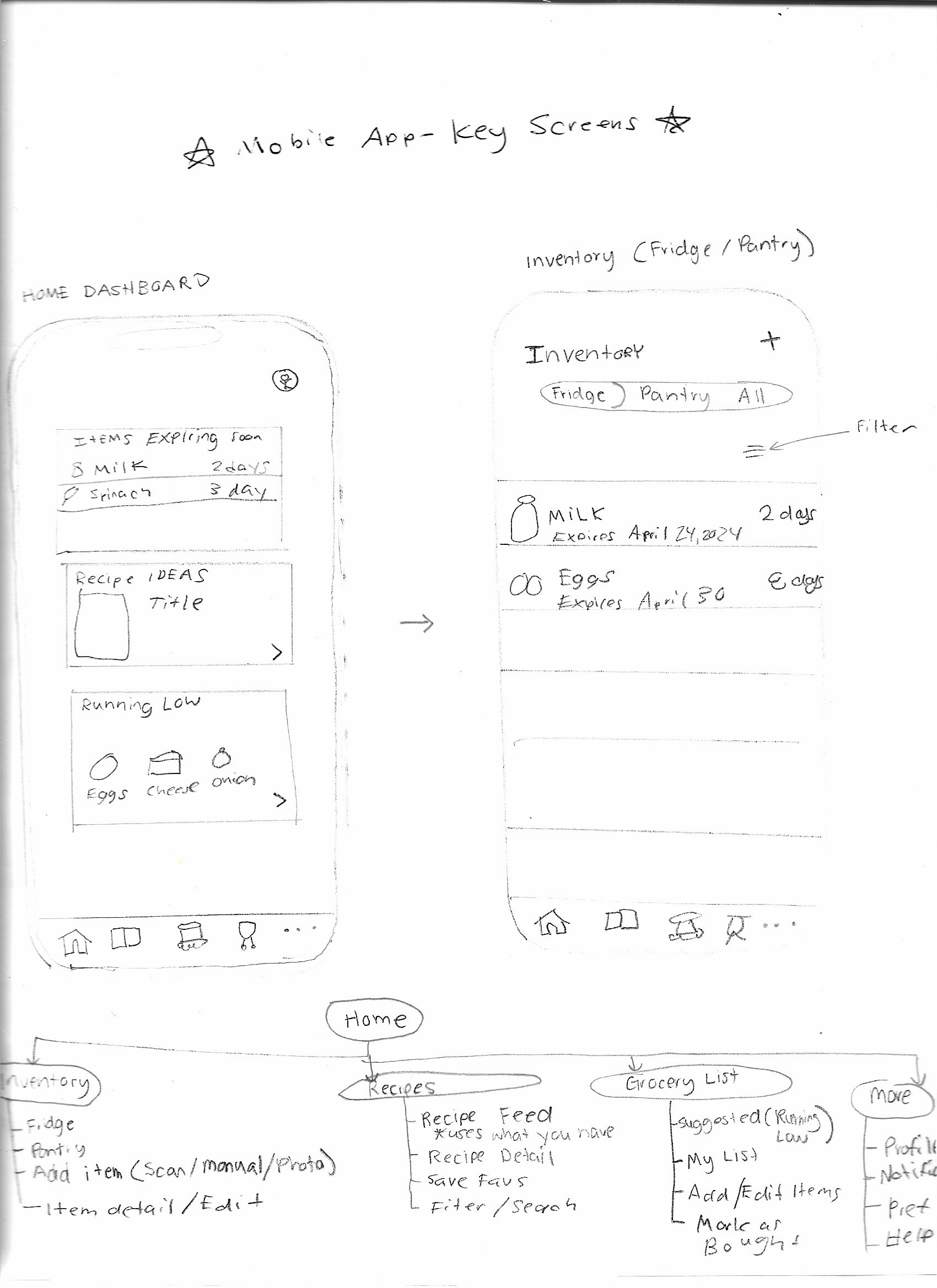
I started with a product idea and a set of lo-fi wireframes: a mobile app for managing what's in the kitchen, paired with a small display that sits on the fridge. Then I built the mobile app natively for iPhone in Xcode with SwiftUI, learning Swift as I went. The app tracks fridge and pantry items, reminds you before food expires, suggests a recipe that uses what you have, and builds your grocery list automatically.
Running natively on iOS with real-time expiry tracking and inventory management.
Food gets forgotten
Things expire at the back of the fridge, and staples run out without anyone noticing. At the store you don't remember what's already at home. And when it's time to cook, it's hard to think of a meal that uses what you have.
One place that keeps track for you
FreshKeeper tracks fridge and pantry items with their expiry dates, reminds you before food goes bad, suggests a meal that uses up what's expiring, and turns running-low items into a grocery list that restocks your inventory when you shop.
The home dashboard shows what's expiring and what's running low, with the most urgent items in red and the next-most urgent in orange.
Designed for quick daily checks
By surfacing expiry dates on the first screen, users know straight away which ingredients to use up before they spoil.
Features
Home dashboard
Expiring soon, a recipe idea that uses up expiring food, and a quick list of items running low.
Inventory
Fridge / Pantry / All filters, sorted soonest-expiring first, with swipe to delete.
Add & edit items
A quick form with emoji picker, units, expiry date and a "running low" threshold. Edits save as you type.
Barcode scanning
Scan a package to fill in its name, emoji and whether it goes in the fridge or pantry.
Expiry reminders
A notification at 9 AM, a set number of days before each item expires. Adjustable for every item.
Smart grocery list
Suggests running-low items with amounts to buy. Checking one off restocks the inventory.
The restock loop
The part I'm proudest of is how the screens connect. Each item can have a "running low" level. When the quantity drops to that level, the item appears on the dashboard and is suggested on the grocery list with an amount to buy. Checking it off at the store adds that amount back to the inventory, and it drops off the list.
How the build unfolded
I built the app one screen at a time, running it after every step and committing each working version to Git.
-
Wireframes and architecture
Mapped the fridge display, the mobile app and a cloud sync layer, then wireframed eight screens and the navigation.
-
Chose native iOS
Started a React Native (Expo) project in VS Code, then switched to Xcode and SwiftUI to build a native iPhone app and learn Apple's tools.
-
Home dashboard
Built the dashboard cards from small reusable components, with mock data, and kept the expiry logic separate from the UI.
-
Navigation
Added the five-tab bar from the wireframe, and made "See all" jump straight to Inventory.
-
Inventory and add item
A filterable list, swipe to delete, and an add form, all reading from one shared source of data.
-
Saving data
Moved from in-memory data to SwiftData so items are saved between launches.
-
Item detail and grocery list
Editing with auto-save, then the grocery list and the restock loop.
-
Notifications
Expiry reminders that update when a date changes and cancel when an item is deleted.
A small, readable data model
@Model
final class Item {
    var name: String
    var location: StorageLocation   // fridge or pantry
    var quantity: Double
    var expiresOn: Date?           // pantry staples may not have one
    var lowThreshold: Double?      // at or below this = "running low"
    var remindDaysBefore: Int = 2
}Challenges & solutions
Camera scanner black screen
- Challenge
- The barcode scanner opened but never showed an image.
- Solution
- Switched from VisionKit to AVFoundation's barcode reader, then added on-screen messages that report why the camera is interrupted. The cause turned out to be iPhone Mirroring, which blocks the camera.
Moving to saved data
- Challenge
- Switching the model to SwiftData touched almost every file and broke the previews.
- Solution
- Converted the model to an @Model class, replaced the shared store with @Query, and made an in-memory database for previews.
Tech stack
I created and assembled every file in Xcode myself, debugged the build errors, and tested each feature on the simulator and on my iPhone.
What I learned
- Structuring a SwiftUI app into models, screens and reusable components
- Persisting data with SwiftData and keeping screens in sync with @Query
- Reading compiler errors: one missing import or brace can cause a dozen errors
- Using Git commits as save points before every risky change
- Code signing and running an app on a physical iPhone
- Working with device permissions for the camera and notifications
- Calling a web API and decoding its JSON into Swift types
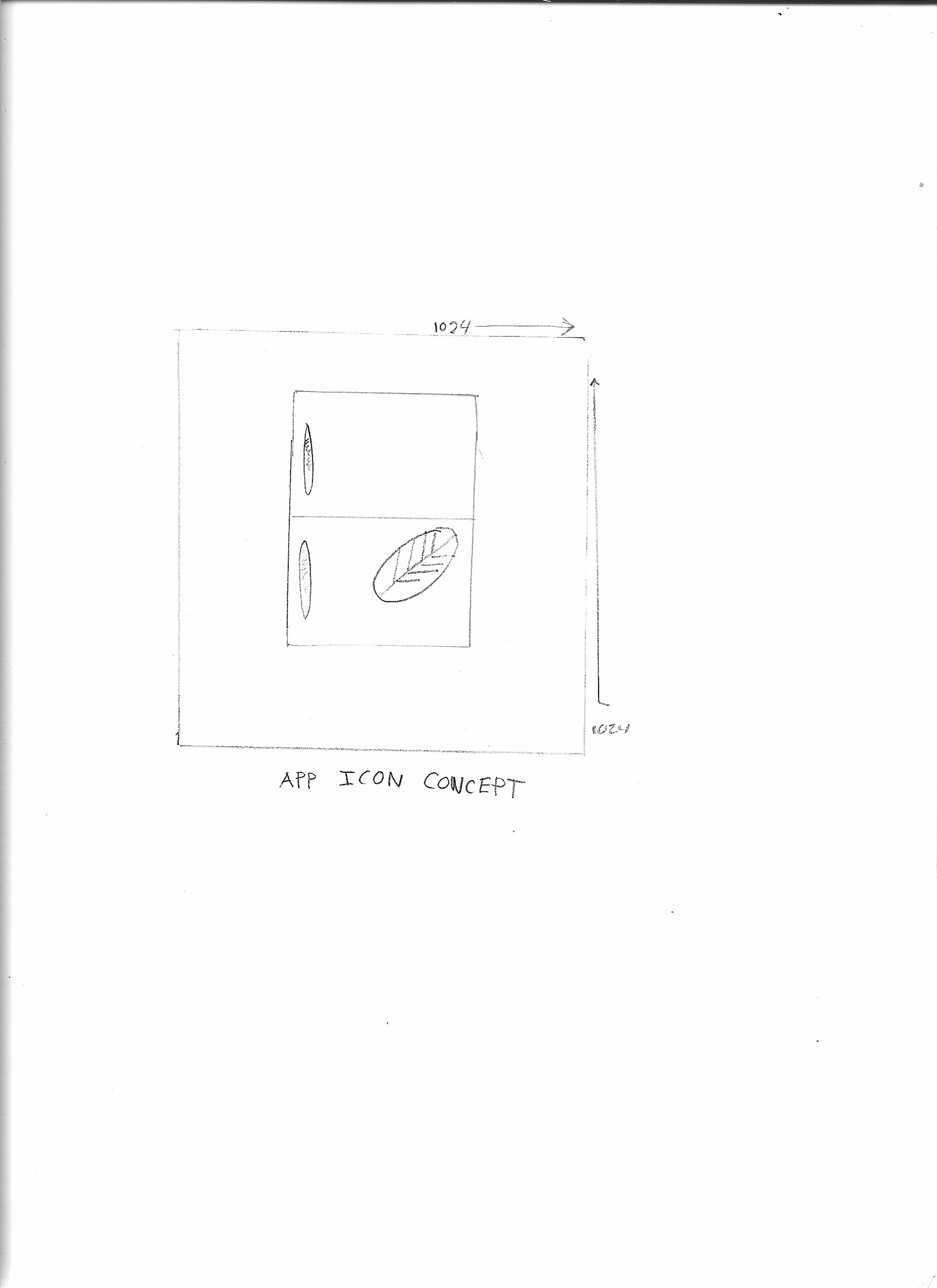
- Designing and exporting an app icon to Apple's specs
Roadmap
Fridge display
The wall-mounted screen from the original concept, synced with the phone through iCloud.
Household sharing
One shared inventory and grocery list for everyone at home.